Say or type one sentence
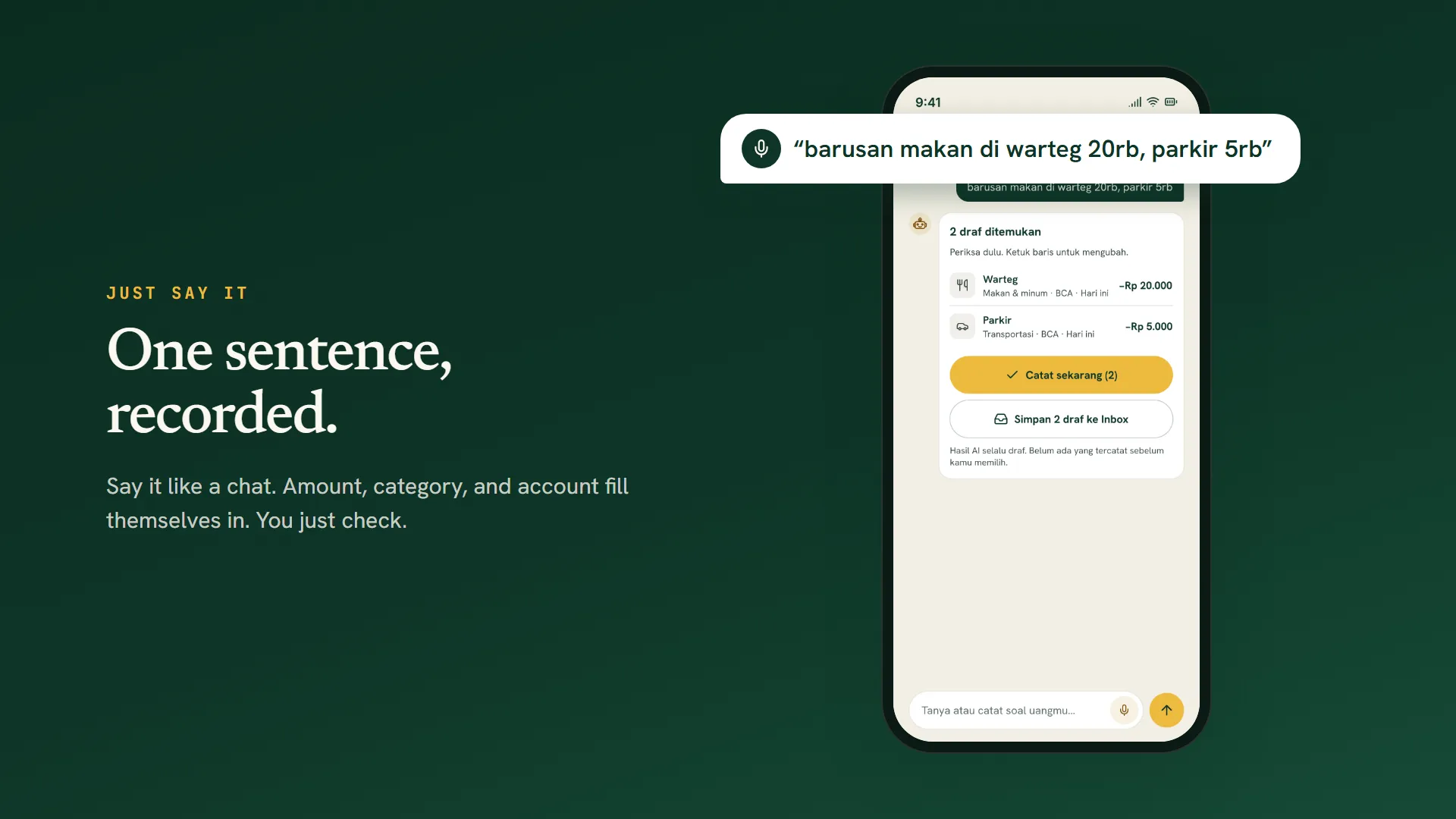
“just ate at the warteg 20k, parking 5k” becomes two drafts with category and account filled in. Just tap Record.
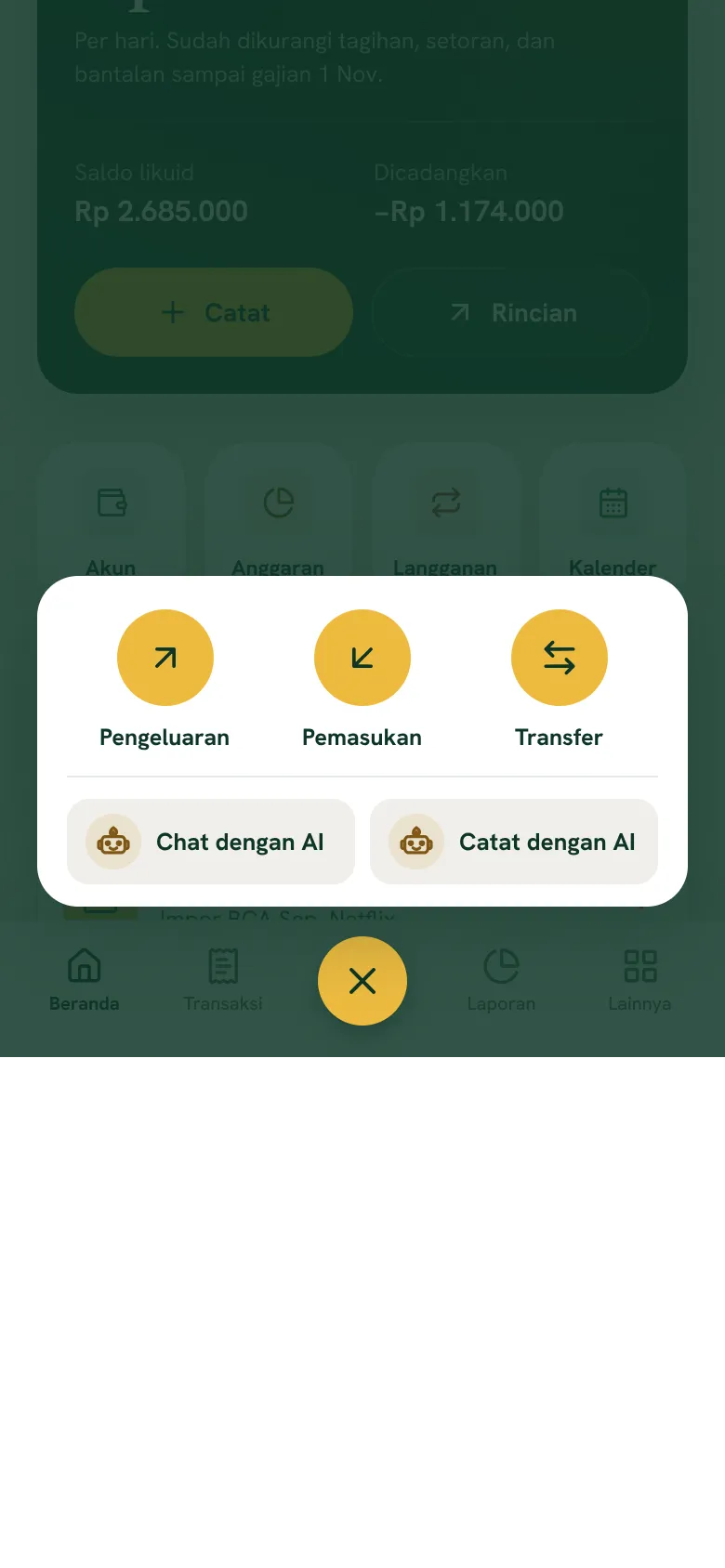
Just say “lunch 25k”. Tumra Money records it, puts it in your budget, and works out how much is safe to spend today.
Records automatically from BCA, Livin’ Mandiri, BRImo, BNI, Jago, SeaBank, GoPay, OVO, DANA, ShopeePay, and 5 more. Processed on your phone.
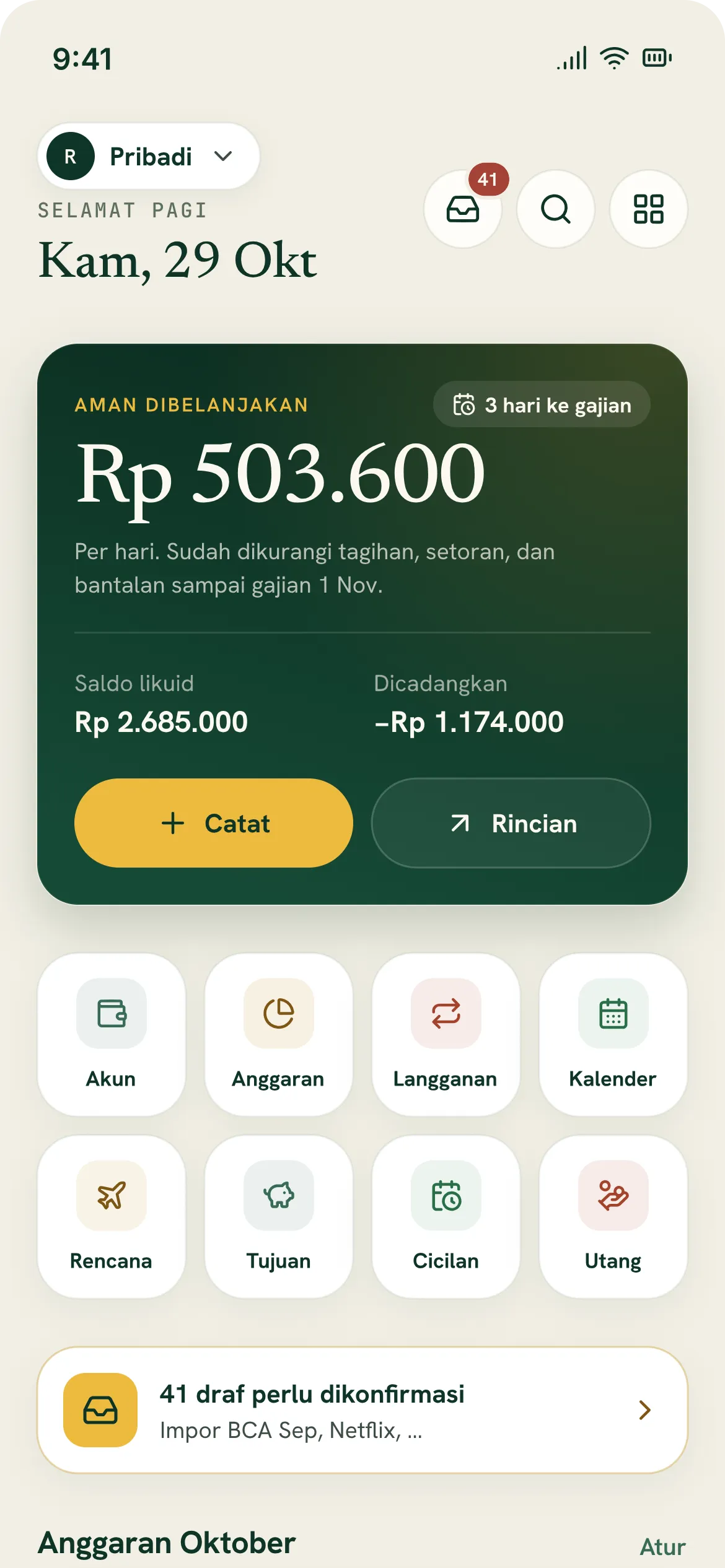
Your balance minus bills, savings transfers, and budget allowances until payday, divided by the days left. One number you check every morning, updated every time you record.
TUMRA MONEY
Thu, 29 Oct 2026 · 3 days to payday
SAFE TO SPEND / DAY
Rp503,600
Yes. Pick whichever way fits the moment. Everything lands in the same list, and you can still type it in yourself with the + button.
“just ate at the warteg 20k, parking 5k” becomes two drafts with category and account filled in. Just tap Record.
One receipt becomes one transaction, with the items saved too. The photo is read by the AI you choose, then deleted, never stored.
Android only: payments from 15 banks and e-wallets become drafts right away. Drafts wait in your Inbox until you approve them, and the notifications never leave your phone.
Nowhere. Notifications are read and processed on your phone, and the records are stored there, encrypted. Here is where your data can go, and what the AI receives:
When you ask a question, Tumra Money AI only receives your sentence plus the names of your categories, accounts, and frequent shops or payees. Transaction history, balances, and notes are never sent. Receipt photos go to the AI only to be read; only the item list is kept.
Notifications read: BCA, Livin’ Mandiri, BRImo, BNI, wondr by BNI, Jago, SeaBank, blu, OCTO, Jenius, GoPay, OVO, DANA, ShopeePay, LinkAja. Android only. When you grant access, Android will say Tumra Money can read all notifications. Only the bank and e-wallet apps you switch on are processed; other notifications aren’t stored.
The more you record, the better you know your money. Reports show where it goes, budgets set limits, and monthly charts reveal your habits.
Rp6,284,500spent in October, across five categories
This month’s biggest categories, with their share of all spending.
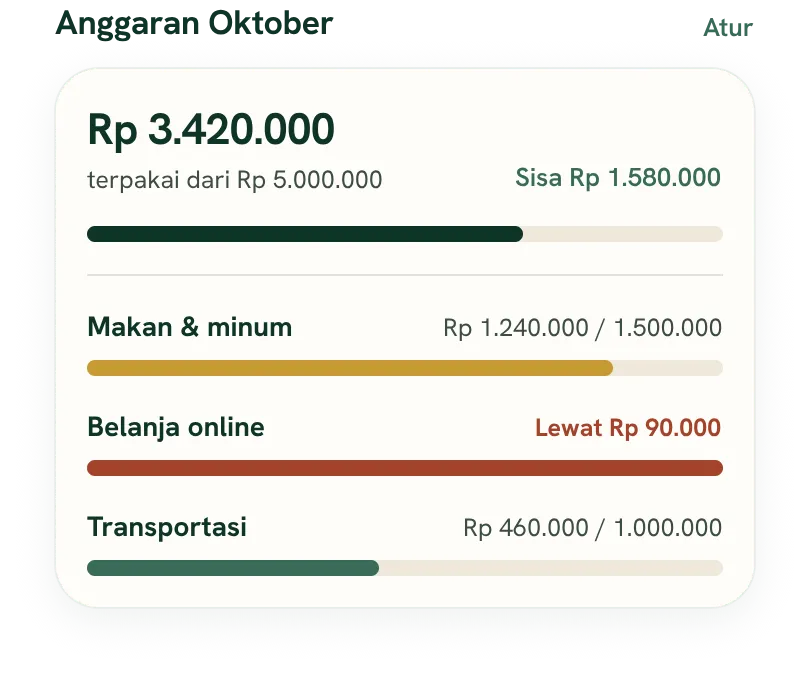
Start from 50/30/20, Frugal 60/10/30, or set your own per category. Last month’s leftover can roll over.
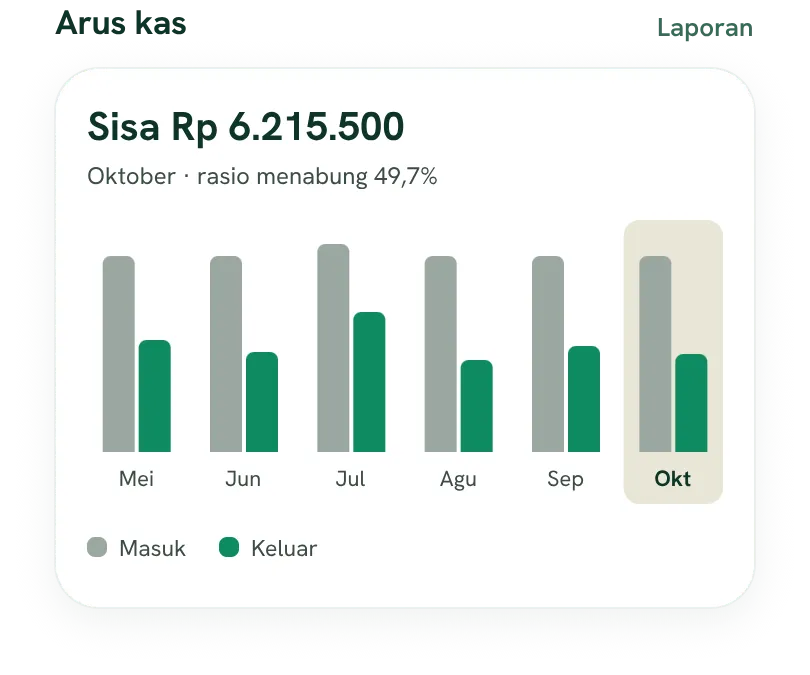
Six months of income and spending side by side, so changes in your habits show right away.
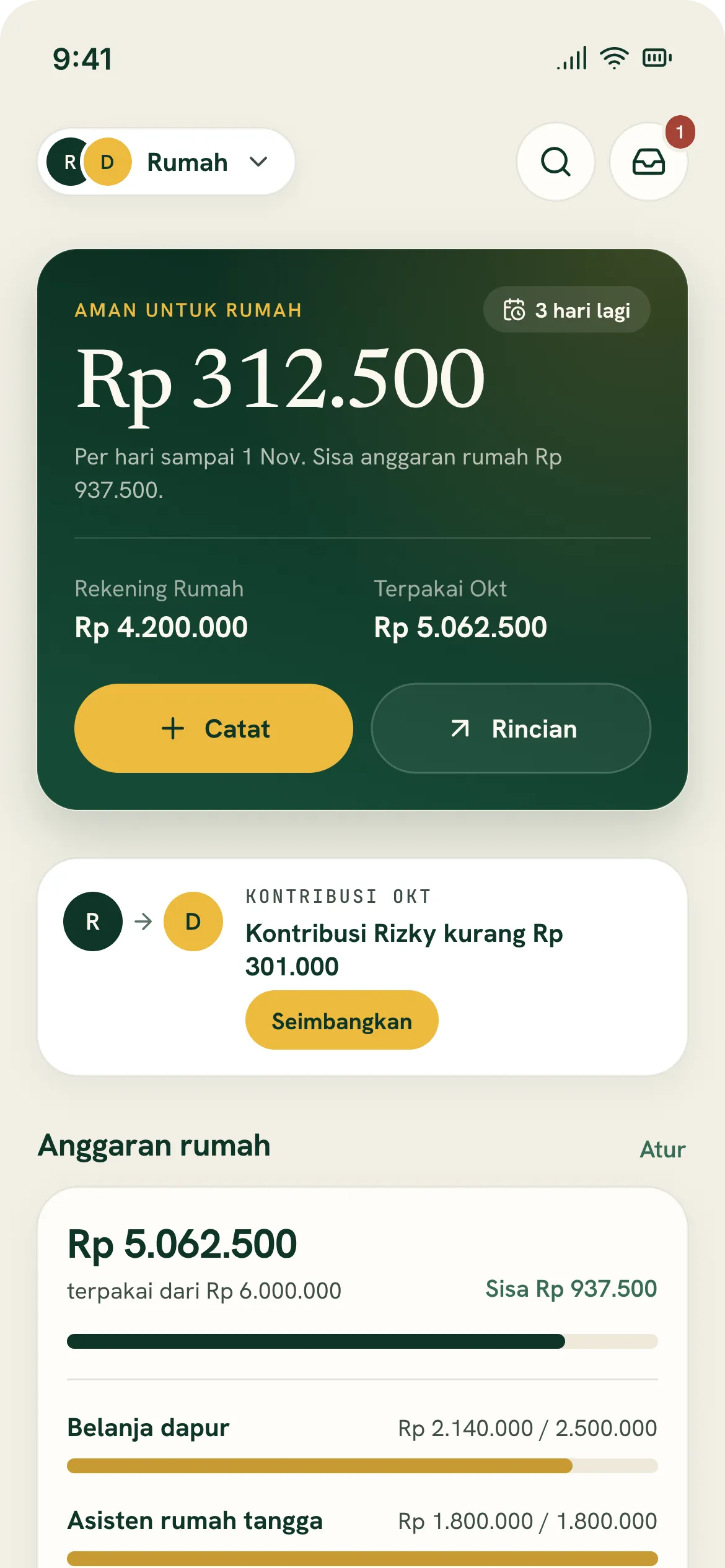
Yes. Invite your partner to a Household: a shared space for bills, groceries, and savings together, showing who paid for what.
Seen by both of you: electricity, groceries, installments, down-payment savings.
Seen only by you: your personal accounts, transactions, and budgets.
Households come with the Family plan: Rp199,000/year or Rp22,000/month, for two. Your partner just accepts the invite, no extra payment.
Bring them. Tumra Money reads export files from banks, e-wallets, other apps, or spreadsheets. You check the categories and accounts before anything is saved.
| Supported | Source | Format |
|---|---|---|
| Yes | KlikBCA statement | CSV |
| Yes | E-wallet statement | CSV |
| Yes | Bank statementPro | |
| Yes | Bluecoins | backup |
| Yes | Money Manager | backup |
| Yes | Excel & CSV | XLSX · CSV |
| Yes | Tumra Money template | XLSX |
Start free, with no time limit. Move up to Pro when you need the web app, automatic backups, or more than 5 accounts.
TUMRA MONEY · PAKETHARGA DALAM RUPIAH
Quick recording, budgets, bills, and reports on your phone. Up to 5 active accounts.
Web app, automatic backups to Drive, unlimited accounts, and 200 AI credits a month.
Pro for you and your partner, plus a shared Household and 300 AI credits a month.
Pay once for every Pro feature, including the web app and sync across devices. No shared Household.
INTRO · 0:50
Log with one sentence, see how much is safe to spend today, let bank notifications become drafts, then see where your money went this month.
 0:50
Not on the Free plan. Your records are stored encrypted on your phone, and backups go to an app-only folder in your Google Drive. If you turn on sync (Pro, Lifetime, or Family), synced data is also stored on our server, end-to-end encrypted with a key that only exists on your devices.
Yes. Data is saved on your phone first, so recording and reports work without internet. You only need a connection for Google Drive backups and AI features.
Not yet. Tumra Money is only for Android phones for now.
Yes. The web version is included in the Pro, Family, and Lifetime plans. Buy the plan in the Android app, then open money.tumra.id/app and sign in with the same account. Your data syncs with your phone.
Yes, through a backup. Back up to Google Drive on your old phone, then on the new phone sign in with the same Google account and restore that backup with your backup password. Paid plans come along too, because they’re tied to your Google Play account.
Your data stays intact and can still be read, edited, exported, and backed up. Accounts over the limit can still be used for recording. Only Pro features, creating new accounts over the limit, and sync stop. Data that was already synced stays on all your devices.
Free on Android, no ads, and ready to use without an account.
You don’t have to record everything at once. Start with one transaction today, and get to know your money little by little.